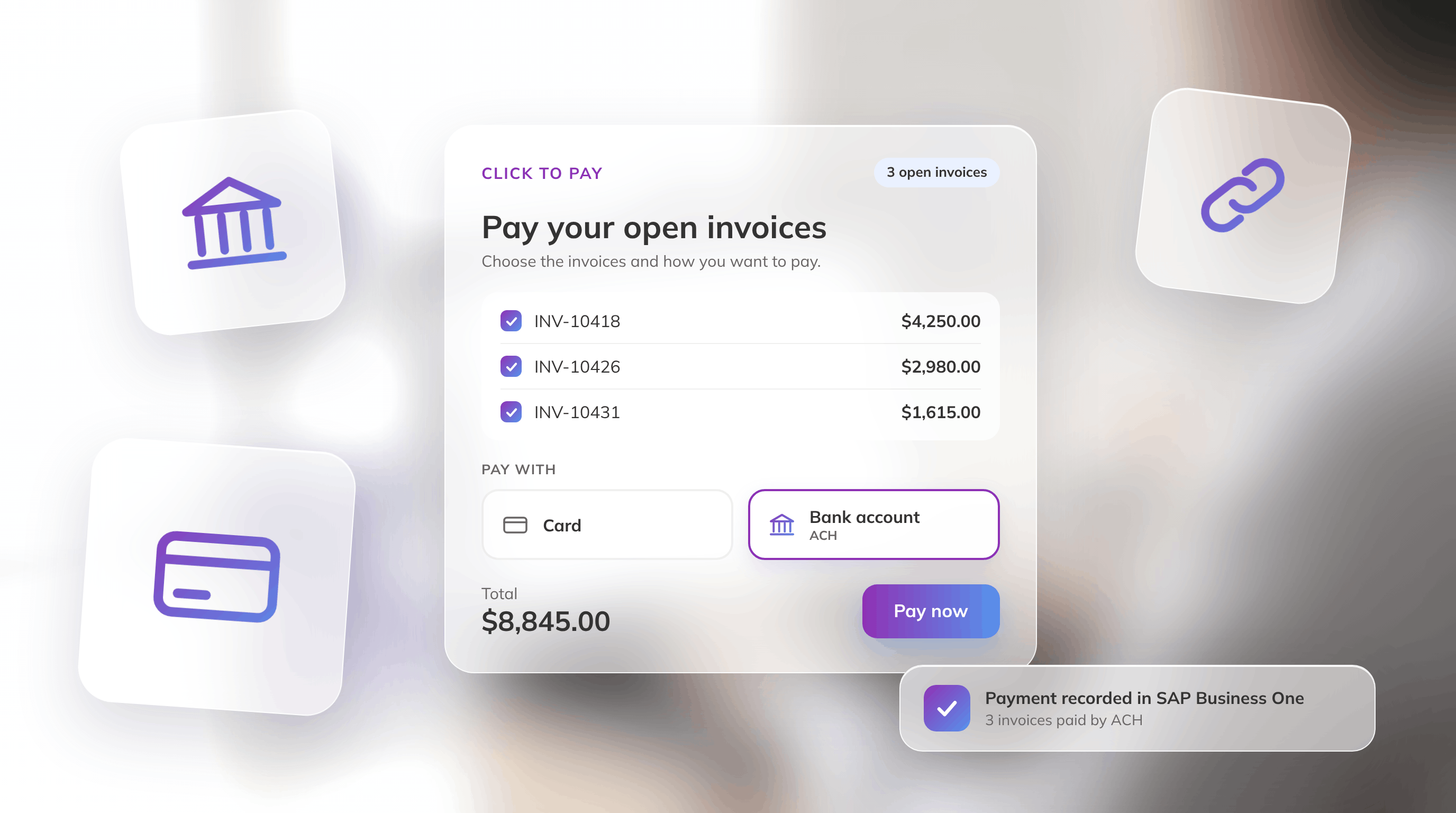
Your customers already know how they like to pay. Some reach for a card. Many B2B payers would rather pay straight from a bank account, and until now, Click to Pay couldn't give them that option.
This month’s updates give your accounts receivable team better ways to collect what your customers owe and reduce the manual work of matching and posting payments in SAP Business One.
FastBank now let's your customers pay by card or bank account from the same link, and pay multiple invoices with a single payment link. You can also collect a payment without creating an invoice first.
Each works on its own, and all three lead to the same result: you collect cash faster, your team spends less time matching and posting payments in SAP Business One, and fewer unidentified payments sit open at month-end close.
If you sell B2B through distributors, dealers, or wholesale accounts, many of your customers still pay by check. You receive purchase orders and send invoices to your customers as usual. Days later, the AP team at one of your customers writes a check and mails it. The deposit lands in your bank with no context about which invoices the customer is paying. That’s where the work starts.
It’s Friday afternoon, and month-end close starts Monday. A deposit for $13,677 from one of your distributors just hit the bank, with no remittance slip. Your AR specialist searches SAP Business One for an open invoice with that amount. Nothing matches. It could be two invoices paid together, or one paid short. So they email the distributor and post the payment on account until someone replies.
Every check like this one means manual work for your AR team, and the money takes longer to arrive than it would with a digital payment.
ACH is the low-cost way to replace those checks. It removes the paper, the hidden cost of writing and processing each check, and the trip to the bank. Today, FastBank brings a solution that automates the matching and posting your AR team does by hand: ACH payments in Click to Pay, the secure payment link you send with an invoice.
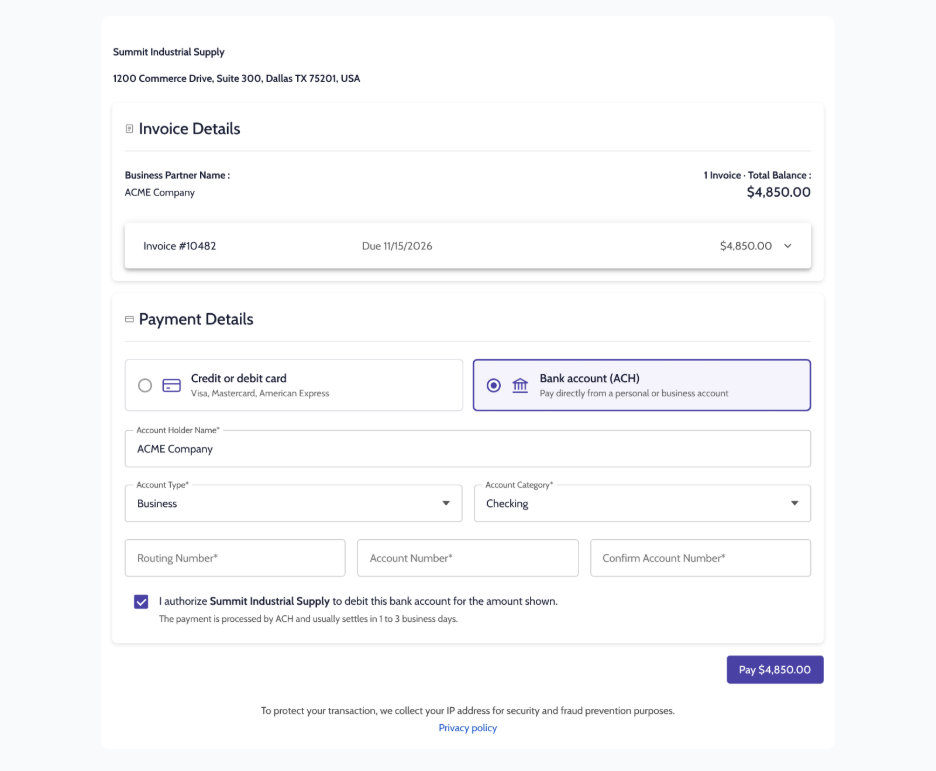
Visual: Click to Pay page with card and bank account (ACH) options in the same link.
Your customers pay in a few clicks, without logging in. You get paid faster, without the cost of processing checks or the manual matching and posting in SAP Business One, so month-end close doesn’t wait on a deposit nobody can identify.
Note: ACH in Click to Pay is rolling out now on Authorize.net, with more payment gateways coming next.
The customers who order most often are the ones with the most open invoices. A distributor that orders every week can have six open at any time. Until now, that meant six payment links, paid one by one, and six chances for one to slip through. When one does, it can turn into a late payment.
Now one Click to Pay link can cover several invoices at once. You can also share a static link for each business partner that always shows what they owe.
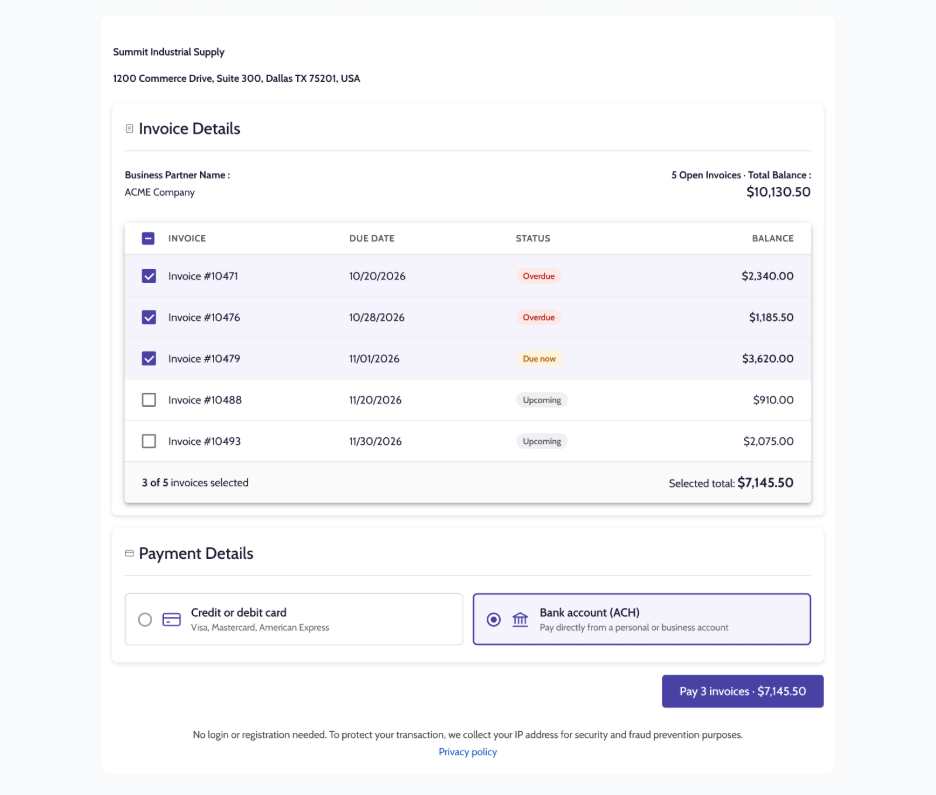
Visual: One link showing a customer's open invoices, the due ones selected, with a "Pay all" button.
There's no login and no registration, and that's on purpose. Your customers pay what they owe without creating another account or remembering another password. Designed for service providers or businesses handling recurring transactions, consolidating payments into a single link enhances efficiency, takes the friction out of paying for your customers, and reduces the likelihood of delayed or missed payments.
It’s Tuesday morning, and one of your customers calls. They want to pay $4,800 toward their account now, before the next invoice goes out. It’s a reasonable request, but your payment workflow starts from an invoice, and this payment doesn’t have one yet.
Every business has its own workflow. Sometimes you need a deposit or a down payment before there's an invoice or a sales order. With Payments on Account, you can now charge your customer's card on account: pick the business partner, the card, the amount and a reference.
The payment is recorded in SAP Business One as a payment on account, ready to apply when the invoice is created. It's part of a wider push to make FastBank's payment options flexible enough to fit the way your business already works.
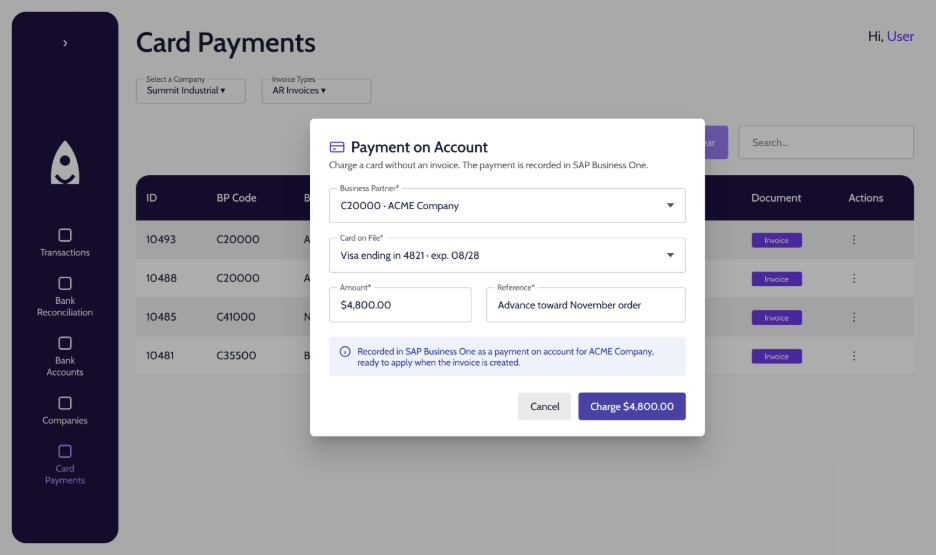
Charge a card on account in FastBank, with no invoice needed. The payment is recorded in SAP Business One, ready to apply when the invoice is created.
Whether your customers pay by card or bank account, settle one invoice or six, or pay before an invoice exists, the goal is the same for the finance teams: collect cash faster, spend less time matching and posting payments, and speed up your month-end close. All of this works because FastBank integrates natively with SAP Business One, so every payment lands where your team already works.
Ready to put these updates to work? If you already use FastBank, write to support@fastbank.io and we'll help you turn them on.
New to FastBank? Discover how Click to Pay with ACH automates payment collection and posting, natively within SAP Business One. Book a demo, here.